The right access.
In every workspace.
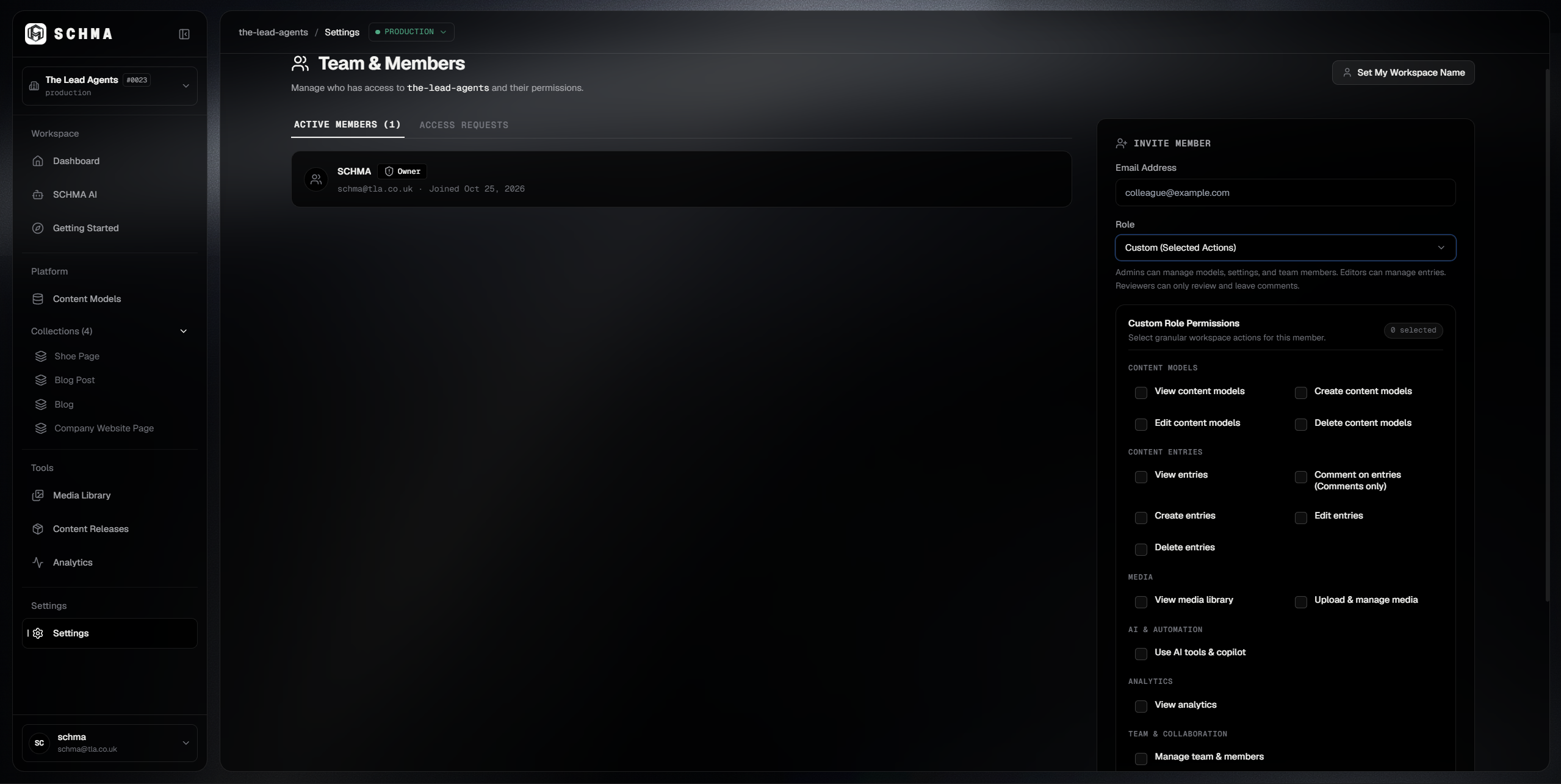
Give every team member the permissions they need. Keep control over who can change content, manage people, and administer each workspace.
Everyone knows what they can do.
Clear boundaries between built-in roles and configurable custom roles keep responsibilities deliberate, auditable, and accountable.
Delegate authority, not ownership.
Give trusted team members the authority to manage a workspace, from publishing content to managing people and assigning roles. Their permissions stay within that workspace, while account ownership remains yours.
Account Owner
Retains account-wide ownership, billing, organization blueprints, and master configuration.
Production Web
Full workspace administrative authority. Can invite members, configure custom roles, and manage publishing gates.
Mobile Application
Content creation, entry editing, media asset management, and draft review submissions.
Marketing Portal
Read-only staging preview inspection and editorial comment feedback on draft entries.
Build the role your team needs.
Combine content and administrative permissions to match each person's responsibilities. From focused reviewers to workspace administrators, access is yours to define.
Tailored capability sets
Decide exactly who can modify content, trigger review cycles, and publish entries to production APIs.
Up to two custom roles
Workspace owners can configure dedicated roles tailored for freelance writers, legal reviewers, or partner agencies.
Scoped administrative delegation
Delegate member management within a single workspace without exposing organization billing or master database settings.
Workspace: Production Web • 4 of 6 permissions granted
| Permission & Scope | Access Status |
|---|---|
| •CONTENT & PUBLISHING(4 granted) | |
View content Read entries, schemas, preview staging, and media assets | Granted |
Create & edit content Draft new entries and update working content | Granted |
Submit for review Transition entries from Draft to In Review state | Granted |
Approve & publish Approve reviewed content and ship to production APIs | Granted |
| •WORKSPACE GOVERNANCE(0 granted • owner only) | |
Invite & remove members Add team members or revoke workspace invitations | Restricted |
Manage roles & permissions Assign roles and modify custom permission definitions | Restricted |
Your workspace, your people.
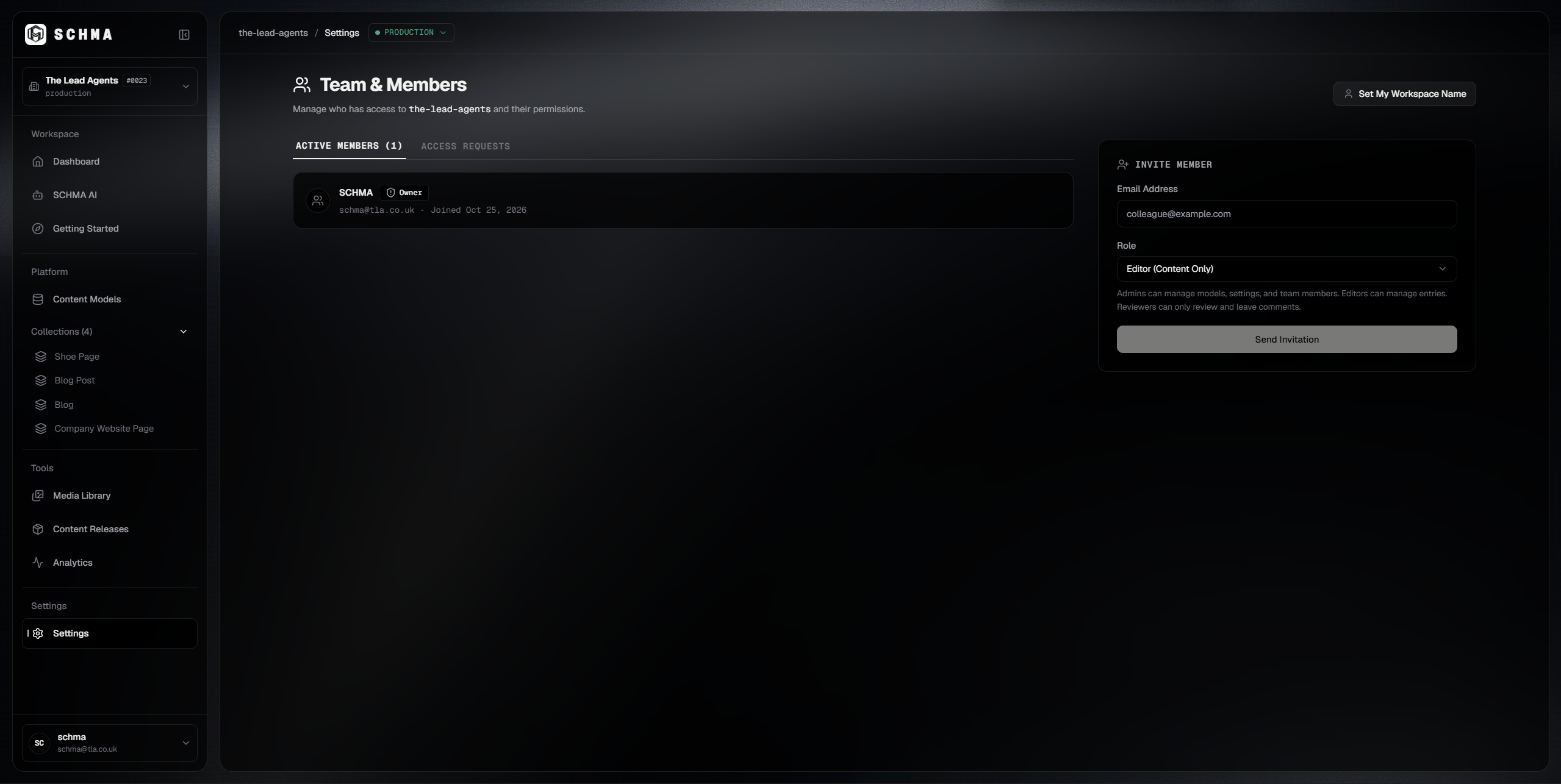
Manage workspace membership and give each person access that matches their responsibilities.
Bring your team into the workflow.
Give everyone the right level of access, from content creation and review to publishing and workspace administration.