
Delivery API SnapshotLIVE
Autumn's quieter corners
Discover the small gardens and peaceful streets that make the city feel different in autumn.
Give editors a focused workspace for writing, organizing media, and maintaining structured content. Your content models become the forms your team works with.
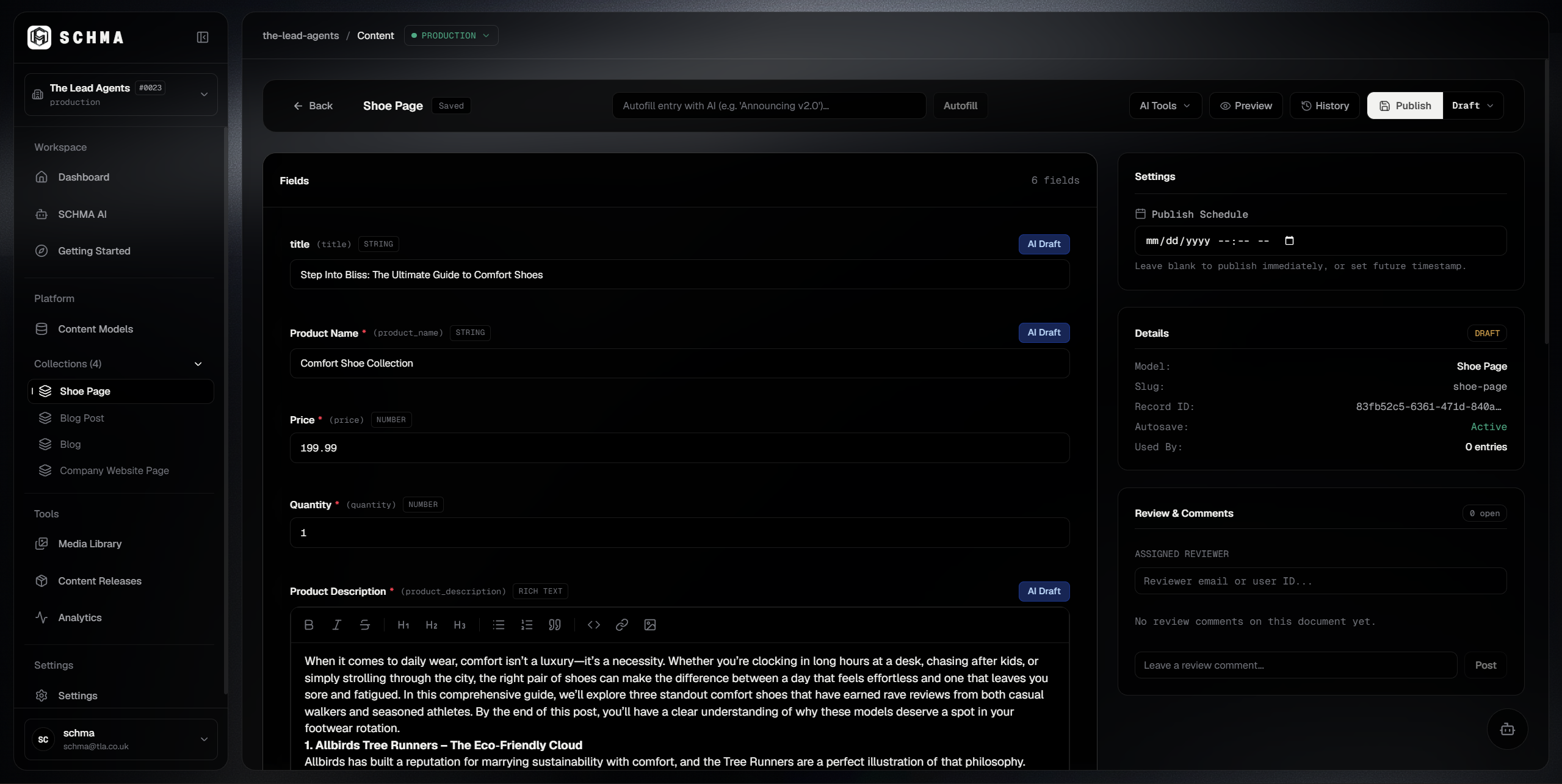
Your content models define the structure; Content Studio turns them into everyday authoring surfaces. From structured prose and media assets to connected records, editors work in forms shaped by the content.
Content Studio provides a distraction-free rich-text editing experience built on Tiptap and ProseMirror. Writers format headings, lists, quotes, and links naturally without visual builder clutter or brittle page-layout locks.
Content is serialized directly into clean semantic HTML inside your entry's JSON payload. Headless delivery APIs serve this content uncorrupted to any frontend framework you choose.
Some stories start with a destination. This one starts with taking your time. The fog had begun to lift over the harbor before the first ferry sounded its horn.
“Structured content is most powerful when it feels effortless to write.”
Media fields integrate directly with your workspace asset library. Upload images, diagrams, and assets once, then attach them across content entries with clean metadata and direct URLs.
Asset references are persisted as structured URLs and metadata within your entry data. Your frontend requests high-resolution assets on demand through edge-optimized delivery URLs.
Reference fields connect distinct content models together—linking an Author to an Article, or Categories to a Product—without copying data or managing complicated foreign keys.
Editors can link existing records in seconds, or spin up a new referenced record inline without navigating away or losing unsaved changes in their active draft.
Explore reference workflow:
Local demonstration · Simulates Studio reference states
Alex Morgan
?populate=author.Edit structured fields in Content Studio and see changes reflected in your connected frontend immediately. Two-way communication connects the preview back to the editor, so selecting an element in the preview jumps directly to its field in the Studio form.
Type to see real-time preview updates across the wire.
Serialized to structured entry data for headless distribution.
Linked media asset reference stored in payload.
How it works in production: In SCHMA Studio, the live preview communicates with your connected frontend via secure postMessage events. Typing in the Studio sends live draft state without writing to the database, while clicking components in your web app highlights their corresponding fields in the Studio form.
Refine copy, replace imagery, and save your changes to a working draft without changing the published version. Publish when you're ready to update what's live.
Discover the small gardens and peaceful streets that make the city feel different in autumn.

From golden courtyards to leafy pathways, find the overlooked places worth slowing down for.
Saving updates your working draft. Publishing replaces the current published version with your latest changes.
Review earlier versions of your content and return to a previous state when you need to. Restoring a version doesn't publish it.
Updated lead paragraph & refreshed cover imagery
Published snapshot across edge Delivery API
Initial version created from prompt brief
Recovery guarantee: Review earlier versions of your content and return to a previous state when you need to. Restoring a draft revision leaves the live published version unchanged.
SCHMA connects structured content to the tools that define it, deliver it, and bring it into your applications.
Shape the models behind your content.
Deliver published content to your applications.
Connect SCHMA to the way you build.
Set up your workspace and start building with SCHMA.
Clear answers about structured editing, live preview, version recovery, and publishing workflows.