Give your content a
structure of its own.
Start with a prompt or build visually. Define fields, relationships, and content structures with AI-assisted modelling that keeps you in control.
Author (author)
Connected via foreign reference. In queries, pass ?populate=author to expand the author object automatically.
Complete structural control
11 visual field types
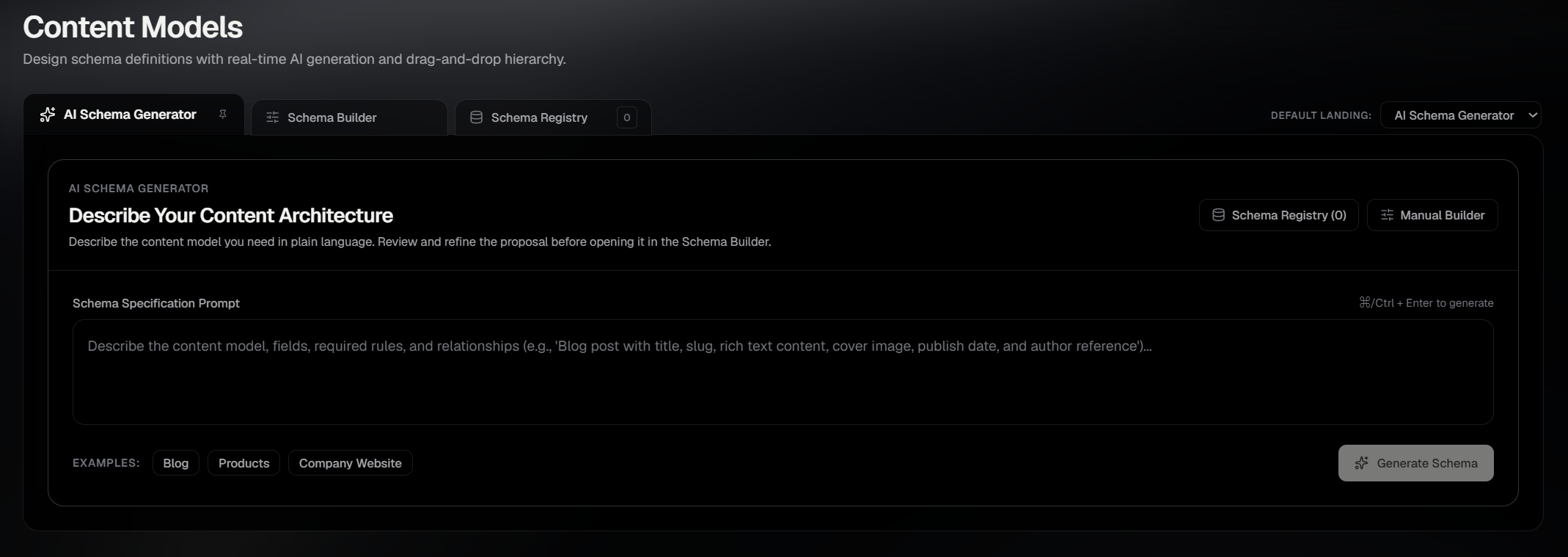
From simple text and media to nested objects, repeatable lists, and content relationships. Configure your fields, define validation rules, and shape your schema before explicitly saving it.
Refine your structure in the builder. Your changes remain unsaved until you choose to save the schema.
All field definitions, identifier modifications, and validation rules are staged in memory. They commit to your PostgreSQL database only upon explicit schema save.
Article Title
stringPrimitives & Text
Constraints are validated both client-side in the Studio editor and server-side on draft/publish transitions.
{
  "entries": [
    {
      "dataJson": {
        "title": "A slower kind of Sunday",
        "author": {
          "id": "3fa85f64-5717-4562-b3fc-2c963f66afa6",
          "dataJson": {
            "name": "Alex Morgan",
            "role": "Staff Writer"
          }
        }
      }
    }
  ]
}
Querying populate=author expands the foreign reference into the target published entry. Population is capped at 1 level depth; unresolved or unpublished references remain their original UUID strings.
Iterate in plain language
Inspect every change
Refine a schema with natural-language instructions. Review structured additions, updates, and removals against your previous proposal, then continue in the visual builder when you're ready.
Conference Event
slug: conference_eventUnsaved ProposalComparing Proposal v2 against Proposal v1 in client memory
“Add a ticket_price number field, make title required, and remove venue_notes.”
venue_notes(string)Omitted from active proposal table. If transferred to the Schema Builder, this field will not be created.
Successive prompts re-evaluate the proposal diff in client memory without writing to PostgreSQL.
required: false (optional)
required: true (mandatory)
Required (entries must provide a value before saving draft or publishing)
Pure In-Memory Evaluation
Diffs are computed purely between memory models. No DDL operations, migrations, or database locks are created during conversational refinement.
Transient Client Memory vs. Explicit Persistence Boundary
AI clarification, schema proposal generation, and diff tracking happen entirely in client memory. No database tables, column mutations, or content types are altered until you explicitly review the fields in Schema Builder and click Save Schema.
Every field rule compiles to an executable contract
SCHMA compiles saved content models into server-side Zod validators. Entry writes are checked against those rules before the validated content is persisted.
Runtime Validator Workbench
generateSchemaFromFields()Illustrative request walkthrough based on verified server-side validation pipeline
Required string with 5 to 120 character bounds
Accepted formats: YYYY-MM-DD, ISO 8601, or valid parseable date string
Required reference ID verified against target model
// Dynamic Zod object compiled at application layer
const ArticleSchema = z.object({
  title: z.string().min(5).max(120),
  published_date: z.string().refine((val) => /^\d{4}-\d{2}-\d{2}/.test(val) || !isNaN(Date.parse(val)), { message: "Invalid date format. Expected YYYY-MM-DD or valid date string." }),
  author: z.string() // Target entry verified via validateReferences(tx, ...),
}).passthrough();Validation is evaluated in Node.js before database queries execute. It is distinct from PostgreSQL table-level column definitions or native CHECK constraints.
{
  "type": "article",
  "title": "A Considered Content Architecture",  "published_date": "2026-10-23",  "author": "usr_89f1a23c-0e4b-4f91",  "status": "draft"
}- Zod parse: All string lengths, date formats, and required fields validated.
- Sanitization: Rich text HTML tags sanitized via
sanitizeRichText(). - References: Target
authorentry verified in tenant database viavalidateReferences().
Application-Level Reference Verification
Reference checks use validateReferences(tx, ...) to verify that referenced target IDs exist in the current tenant database. They are enforced at the API layer rather than through physical PostgreSQL foreign keys.
Contractual Data Integrity in Decoupled JSONB Storage
SCHMA stores entry payloads in unified JSONB columns while enforcing typed structural rigor via compiled Zod contracts. You get the flexibility of schema updates without PostgreSQL table-altering DDL migrations paired with strict validation guarantees before entries persist.
Evolve your schema
Keep existing content intact
Update your content model without automatically rewriting stored entries. SCHMA keeps schema definitions separate from entry data, so new fields can be introduced while existing draft and published payloads remain unchanged until you update them.
Schema changes don't automatically migrate existing entries.
New validation rules apply when content is subsequently written or updated. Existing entries may need to be updated to satisfy newly introduced required fields or other changed constraints.
data_jsonpublished_data_jsonDefine the structure. Put it to work.
Create structured content, give your team a place to work with it, and deliver it to your applications through SCHMA's APIs.
Instant Studio
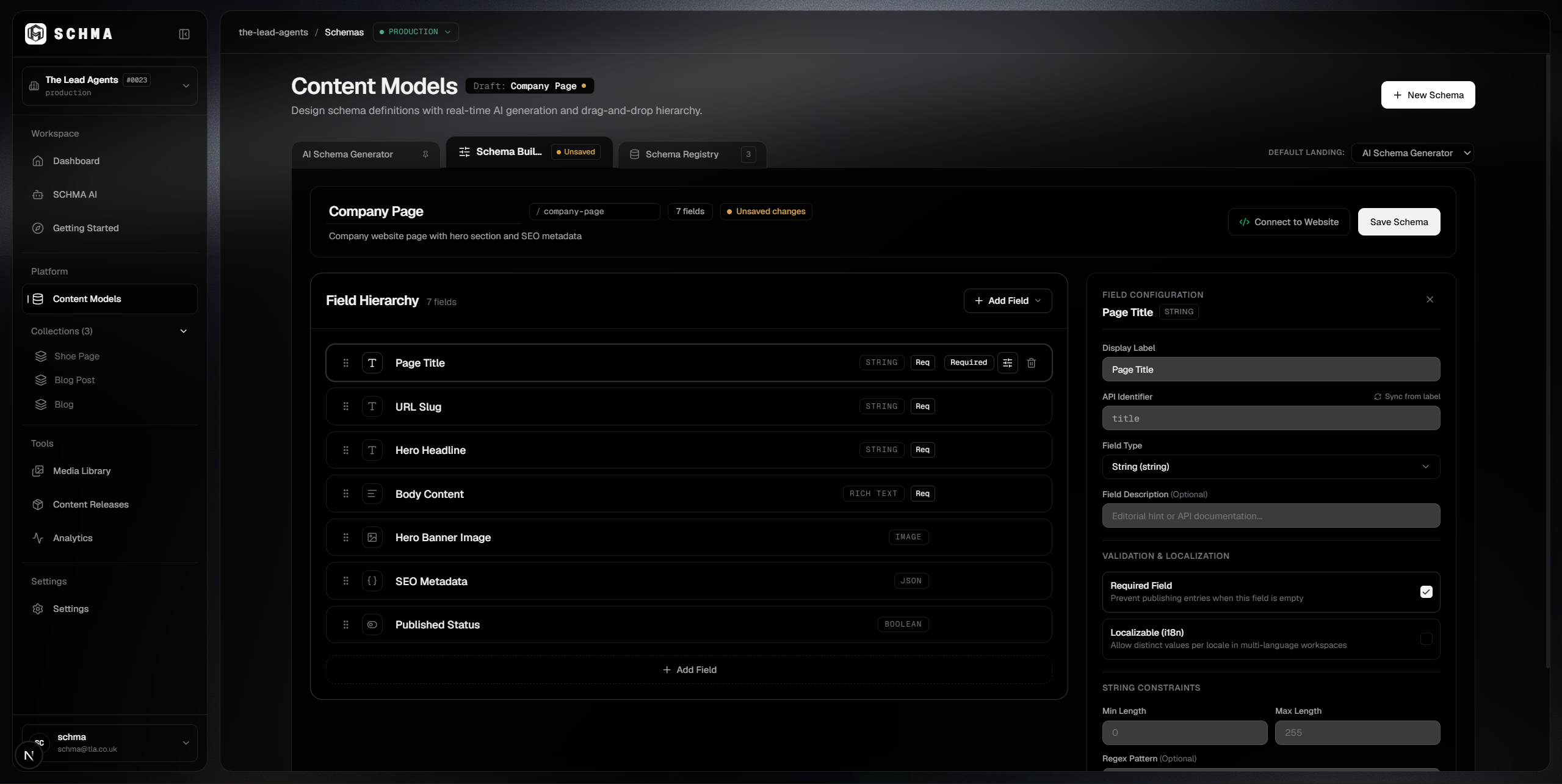
Give your team a workspace for creating and editing structured content, with forms shaped by your content models.
Delivery APIs
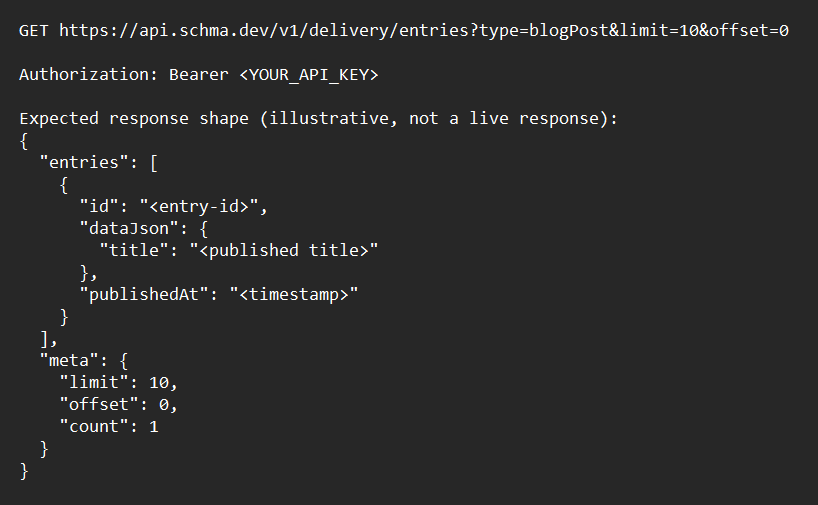
Query and deliver your structured content through SCHMA's REST and GraphQL APIs.
Developer Workflow
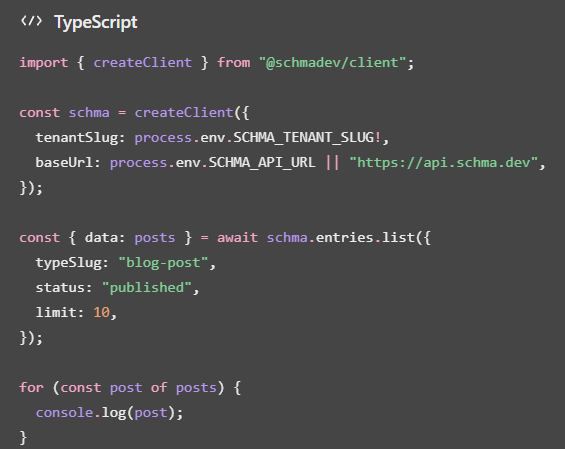
Explore the tools and integrations that connect SCHMA to your development workflow.
Ready to put your content model to work?
Questions about your content models?
Clear answers about schema creation, validation, database ownership, and evolving your content structure.